Active sourcing on LinkedIn & XING

From the searchable profile market to a prioritized selection: AI search, scoring, and personalized outreach – for candidates who are not actively applying.

Who is Active Sourcing built for?

🎯

Recruiters & HR Teams

Proactively searching for hard-to-find specialists and executives

🏢

Growing Companies

Scaling quickly and continuously needing top talent

🏆

Headhunters

Looking to boost efficiency and serve more clients

The Active Sourcing Process with Talentigo

From role requirements to outreach – how to structure active sourcing with Talentigo

1

Paste job posting & choose mode

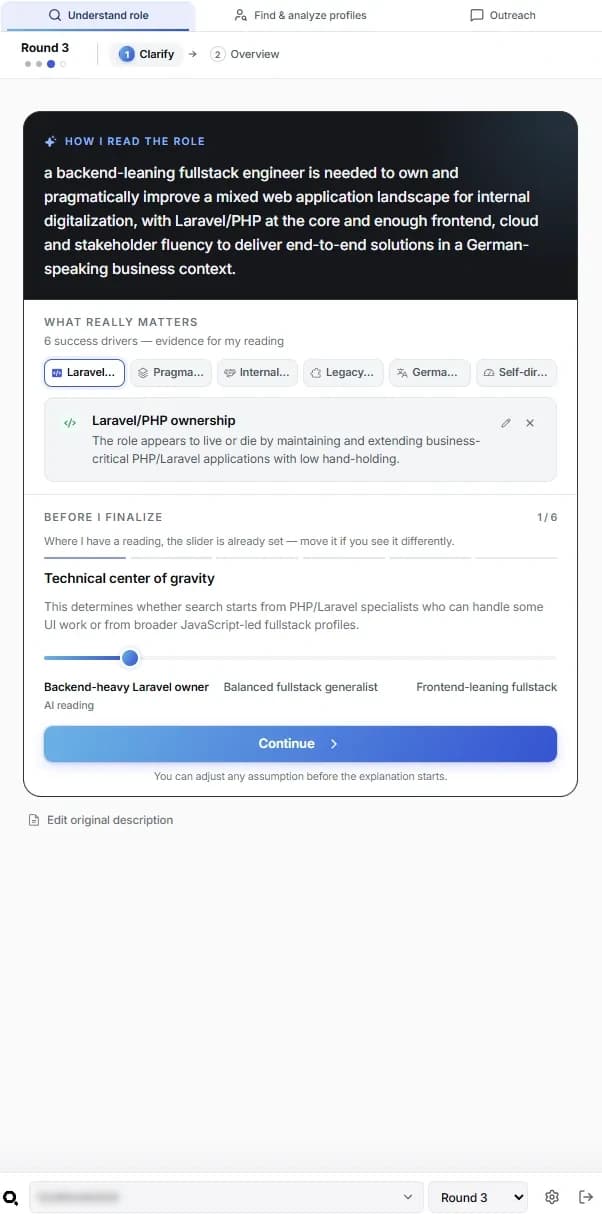
Paste your job posting – AI derives matching requirements and search terms from it. Then start the search in Quick Mode or Control Mode.

  • Paste job posting
  • AI-generated requirements and search terms
  • Quick Mode or Control Mode
Screenshot: Paste job posting & choose mode
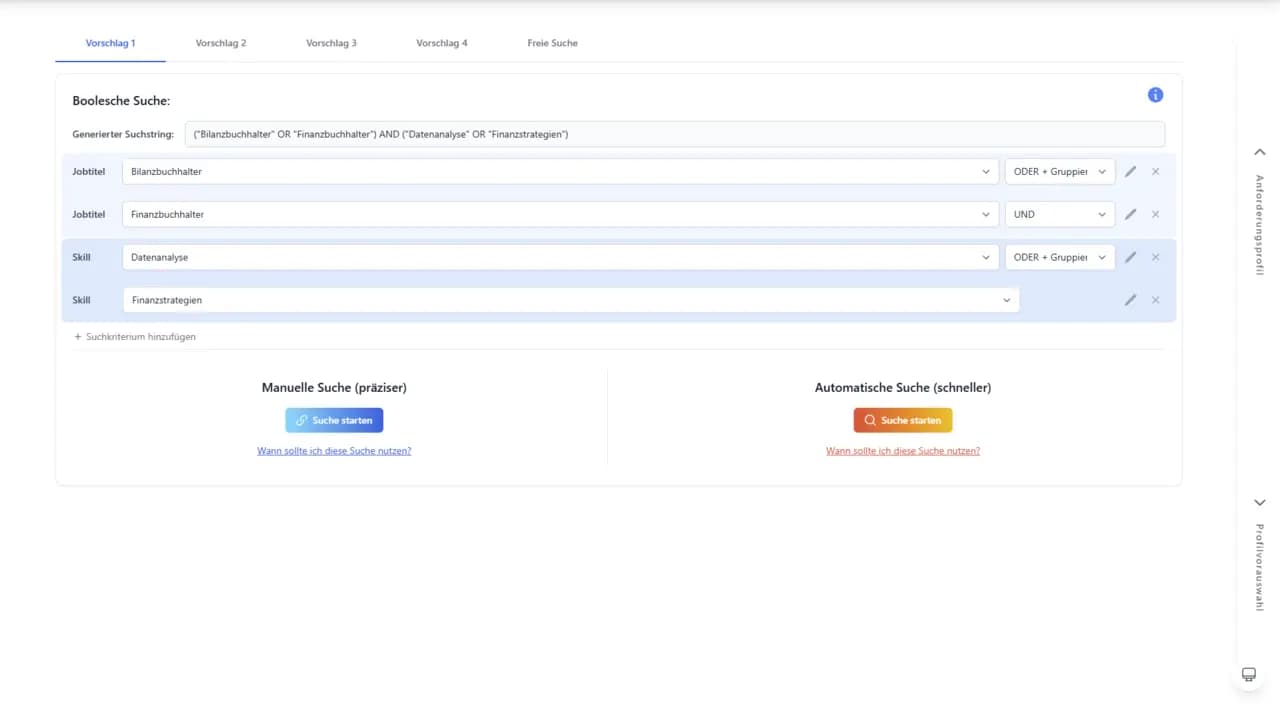
Screenshot: Quick Mode or Control Mode
2

Quick Mode or Control Mode

In Quick Mode, suggested search terms are searched immediately – you cannot select them individually. After a short wait, you land directly on the suggested profiles. In Control Mode, you have full control: select and adjust search terms and manage Boolean strings yourself.

  • Quick Mode: straight to profile suggestions
  • Control Mode: full control over search
  • AI search term suggestions
3

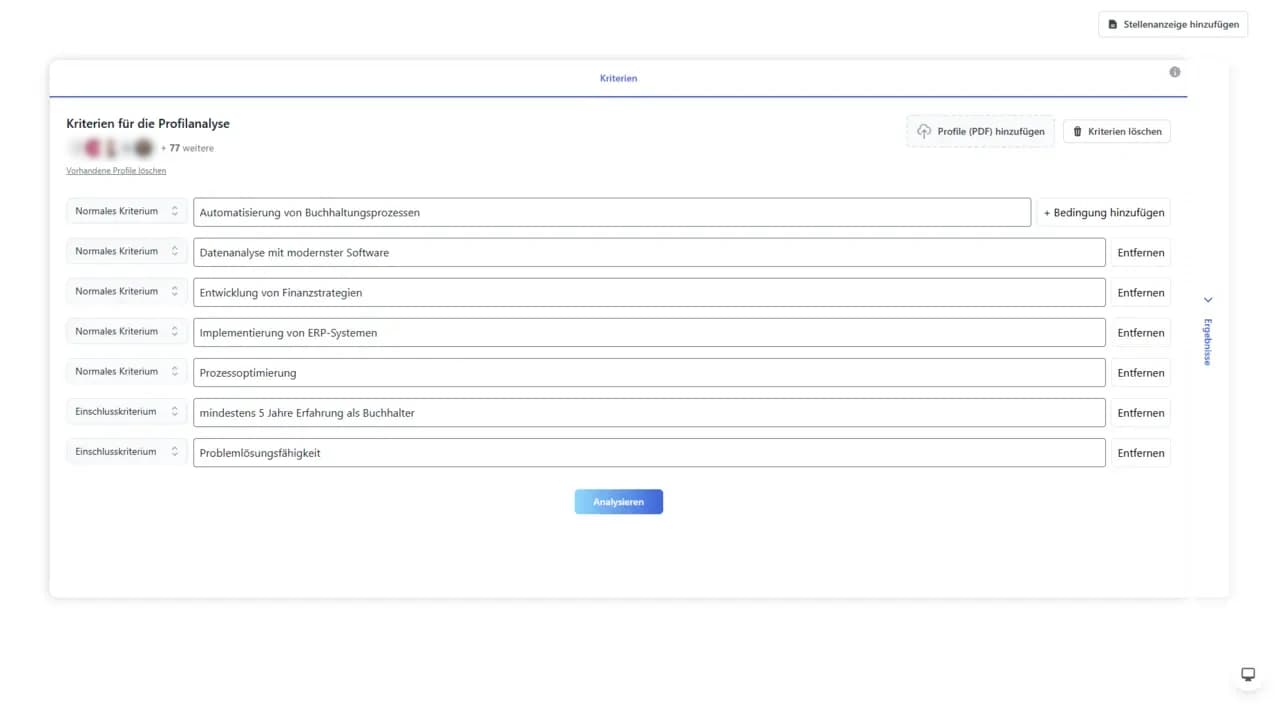
Analyze & evaluate profiles

Have found profiles analyzed automatically and receive transparent evaluations with clear, traceable reasoning.

  • Automatic skill extraction
  • Scoring system
  • Transparent, traceable reasoning
  • Freely selectable evaluation criteria
  • Inclusion criteria
Profile analysis — skill extraction and scoring
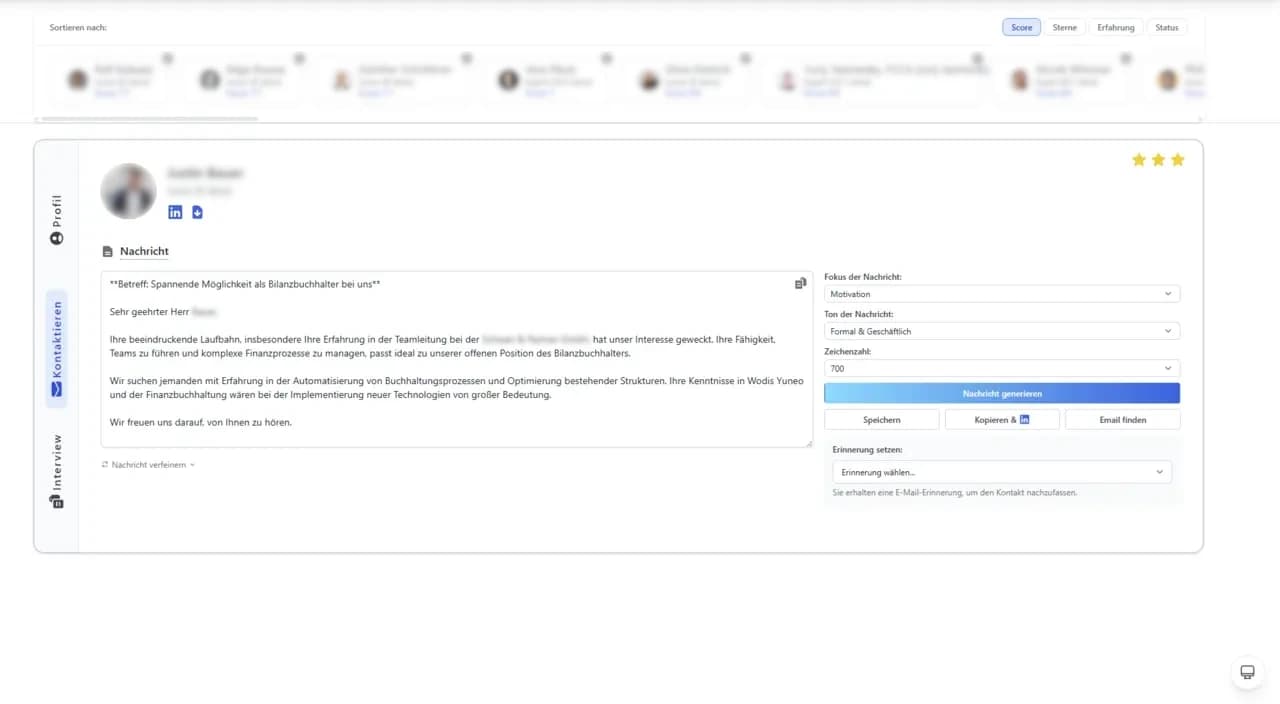
Screenshot: Create personalized outreach
4

Create personalized outreach

Create personalized messages as AI drafts – to review, adjust, and send. Whether response rates improve also depends on your previous outreach and each profile.

  • AI-generated messages
  • Individual adjustments before sending
  • Refine copy directly with AI
5

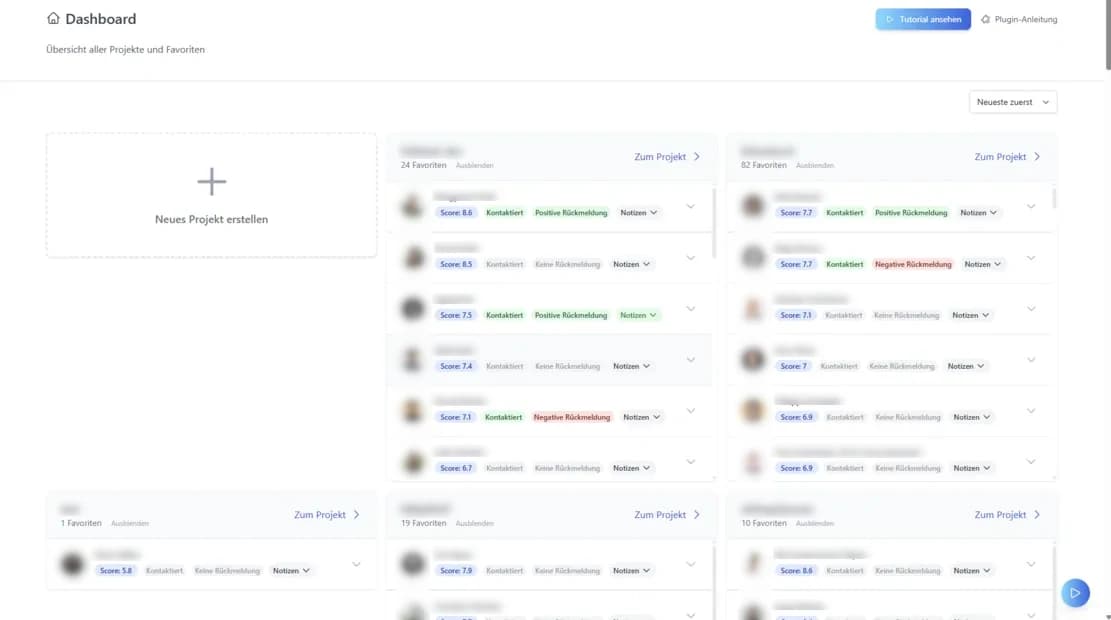
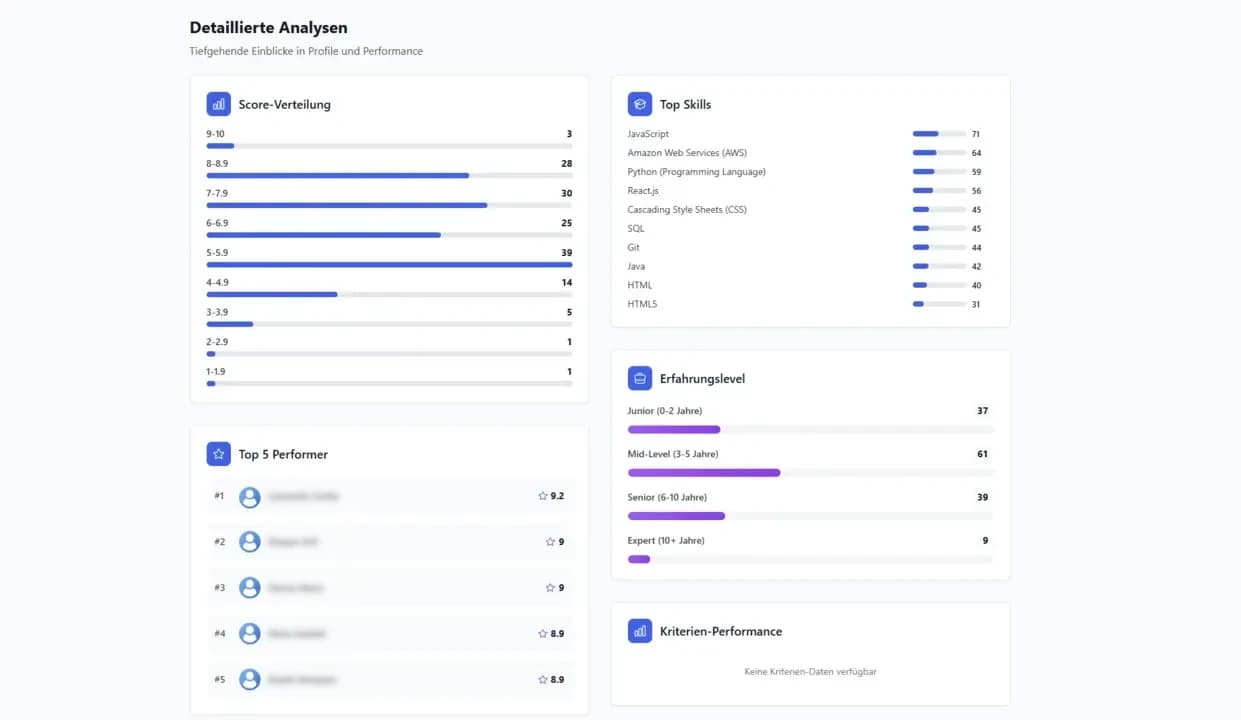
Reporting & Analytics Dashboard

Keep track of your sourcing activities: analyzed profiles, prioritized selection, and progress per project – without spreadsheet chaos.

  • Overview per sourcing project
  • Analysis and selection status
  • Trends over time
  • Export for internal alignment
Screenshot: Reporting & Analytics Dashboard

Chrome plugin: active sourcing in your browser

For many recruiters, the plugin is now the central entry point – search, evaluation, and outreach on LinkedIn without switching tools. Included from the Premium plan.

Job profile & LinkedIn search

Set up your job profile and get support while searching on LinkedIn – right in your browser.

Profile fit & search analysis

Evaluate how well profiles match the role and analyze your search results – with scoring and clear reasoning.

Contact candidates

Reach out to matching candidates with AI-generated messages or templates directly from the plugin.

Talentigo Chrome plugin for active sourcing on LinkedIn

Key Features in Detail

These features make active sourcing with Talentigo so effective

🔍

AI-powered candidate search

Find relevant profiles on LinkedIn and XING – with suggested search terms and traceable scoring.

  • Less manual research
  • Larger relevant pool
  • Prioritization by your criteria
🧩

Boolean search & AI search terms

Build search strings precisely in Control Mode or use AI suggestions directly in Quick Mode.

  • Precise search logic
  • Faster to a relevant pool
  • Adjustable per project
🔌

Chrome plugin for LinkedIn

Search, analyze, and reach out directly in the browser – without constantly switching tools.

  • Workflow directly on LinkedIn
  • In-context profile analysis
  • Outreach from the plugin
💬

Personalized outreach

AI drafts for initial messages – as a starting point you review and adjust.

  • Faster preparation
  • Profile-based copy
  • Scalable for many contacts

From practice

HR factory GmbH identified a relevant sales candidate pool for a client in under 3 hours – from AI search through ~1,500 analyzed profiles to 12 prioritized favorites.

View sales manager case study

What recruiters typically gain

Orientation values from customer projects – depending on role, market, and previous outreach

−0%

Search effort

Less manual research and initial assessment per profile*

AI score

Relevant selection

Profiles are evaluated against your criteria and prioritized transparently

Prepared

Outreach

AI drafts can improve response rates*

< 3 hrs

Time-to-shortlist

Faster to a prioritized pool instead of days of one-by-one screening (case example)

*Individual results vary depending on starting point and message quality.

Ready to structure your active sourcing?

Try the web app for free and test the Chrome plugin as a trial version – or book a demo for your specific use case.